

Building a Client Portal Using MarketOmation: A Complete Guide for 2026
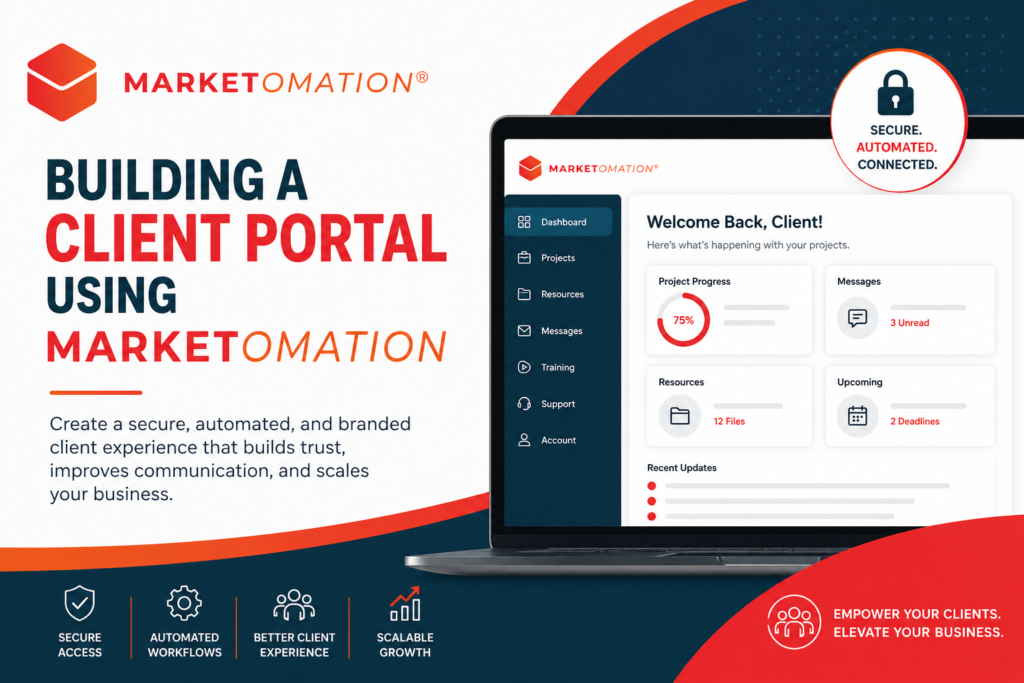
In today’s automation-first digital landscape, clients expect more than emails and scattered updates—they expect centralized, seamless access to everything they need. That’s where a client portal becomes a strategic advantage.
With MarketOmation, building a powerful, automated client portal is no longer complex or expensive. You can create a fully branded, interactive experience that improves communication, increases retention, and reduces operational friction.
In this guide, we’ll break down exactly how to build a client portal using MarketOmation—and how to turn it into a scalable asset for your business.
What Is a Client Portal (And Why It Matters)
A client portal is a secure, centralized hub where your clients can:
- Access documents and resources
- Track project progress
- Communicate with your team
- View deliverables and updates
- Engage with your services
Why Client Portals Are Essential in 2026
- Client expectations have evolved — real-time access is now standard
- Operational efficiency matters — fewer emails, fewer manual updates
- Retention increases with experience — convenience builds loyalty
- Automation scales delivery — without increasing workload
A well-built portal transforms your business from reactive to proactive.
Why Use MarketOmation for Your Client Portal
MarketOmation isn’t just a marketing automation tool—it’s a client experience platform when used strategically.
Key Advantages:
- All-in-one ecosystem (funnels, CRM, automation, content)
- Customizable pages for branded portal experiences
- Membership-style access control
- Workflow automation for onboarding and updates
- Integrated communication (email, SMS, triggers)
Instead of duct-taping multiple tools together, MarketOmation lets you build everything in one place.
Step-by-Step: Building Your Client Portal
1. Define the Portal Structure
Before building, map out what your clients need access to:
- Onboarding materials
- Project dashboards
- Documents and files
- Training resources
- Support/contact options
Think in terms of user experience, not internal organization.
2. Create a Secure Access System
Use MarketOmation’s membership and access controls to:
- Create login-protected pages
- Assign users to specific access levels
- Segment clients based on services or packages
This ensures each client only sees what’s relevant to them.
3. Build Your Portal Pages
Use MarketOmation’s page builder to create a clean, intuitive layout.
Recommended Pages:
- Dashboard/Home → Overview and quick links
- Resources → Files, guides, downloads
- Progress/Deliverables → Status updates
- Training Hub → Videos or tutorials
- Support → Contact forms or ticket links
Focus on simplicity—portals should reduce confusion, not add to it.
4. Automate Client Onboarding
This is where MarketOmation shines.
Create workflows that automatically:
- Send login credentials
- Guide users through portal features
- Deliver onboarding content step-by-step
- Assign tags and track engagement
This eliminates manual onboarding entirely.
5. Integrate Communication Workflows
Your portal shouldn’t exist in isolation.
Use automation to:
- Notify clients when updates are added
- Send reminders for incomplete steps
- Trigger follow-ups based on behavior
- Collect feedback at key milestones
This creates a living, responsive experience instead of a static portal.
6. Personalize the Experience
Use segmentation and conditional logic to:
- Show different content based on service type
- Customize dashboards for each client tier
- Deliver tailored recommendations
Personalization increases perceived value dramatically.
7. Track Engagement and Optimize
Use MarketOmation analytics to monitor:
- Page visits
- Resource usage
- Drop-off points
- Client interaction patterns
Then refine your portal to remove friction and improve usability.
Best Practices for High-Performing Client Portals
Keep Navigation Simple
If clients can’t find what they need in seconds, the portal fails.
Prioritize Mobile Optimization
Many users will access your portal from mobile devices.
Automate Everything Possible
Manual updates defeat the purpose of a portal.
Maintain Brand Consistency
Use your colors (#F15A24, #ED1C24, #004050) and logo for a cohesive experience.
Continuously Improve
Your portal should evolve as your services grow.
Common Mistakes to Avoid
- Overcomplicating the layout
- Not automating onboarding
- Treating the portal as a file dump
- Failing to update content regularly
- Ignoring user experience feedback
A client portal should feel like a premium experience, not a storage system.
Final Thoughts
Building a client portal is no longer a “nice-to-have”—it’s a competitive necessity.
With MarketOmation, you can create a streamlined, automated, and highly professional client experience that:
- Saves time
- Improves communication
- Increases retention
- Scales effortlessly
The businesses that win in 2026 are the ones that deliver clarity, convenience, and consistency—and a well-built client portal does exactly that.
MarketOmation gives you the tools to build not just portals, but powerful client experiences that grow your business.