

When to Automate and When Not To: A Strategic Guide for Smarter Growth
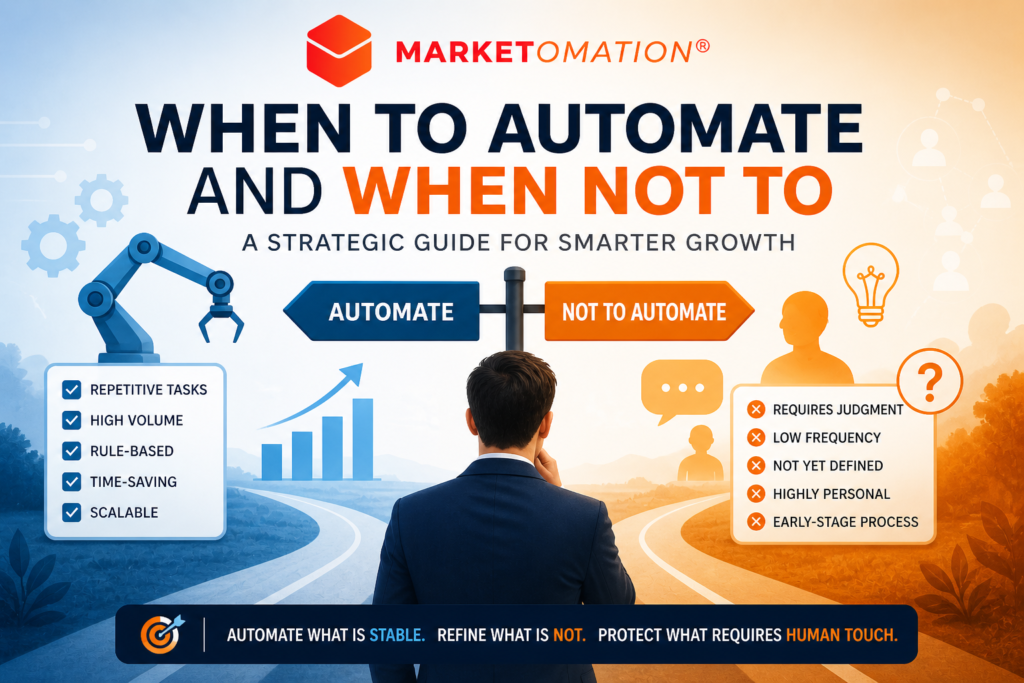
Automation has become one of the most powerful levers in modern business. From marketing workflows to operations and customer service, the promise is clear: save time, reduce costs, and scale faster.
But there’s a problem—most businesses are automating the wrong things.
Automation is not inherently good. Done poorly, it creates inefficiencies, damages customer experience, and locks in bad processes at scale. Done right, it becomes a force multiplier for growth.
This guide breaks down when to automate, when not to, and how to make the right decision every time.
Why Automation Isn’t Always the Answer
Before diving into tactics, it’s important to challenge a common assumption:
If a process is manual, it should be automated.
That’s not strategy—that’s laziness disguised as efficiency.
Automation amplifies whatever already exists. If your process is broken, unclear, or inconsistent, automation will simply make those problems happen faster.
When You Should Automate
Automation works best in environments that are stable, repeatable, and measurable.
1. Repetitive, Rule-Based Tasks
If a process follows the same steps every time with little variation, it’s a prime candidate.
Examples:
- Lead routing in a CRM
- Email follow-ups based on triggers
- Invoice generation
- Data syncing between tools
Why it works: These tasks don’t require judgment—just execution.
2. High-Volume Processes
The more frequently something happens, the greater the ROI on automation.
Examples:
- Customer onboarding sequences
- Support ticket categorization
- Marketing campaign scheduling
Key insight: Even small time savings compound significantly at scale.
3. Time-Sensitive Workflows
Automation ensures speed and consistency when timing matters.
Examples:
- Responding instantly to new leads
- Abandoned cart follow-ups
- Real-time alerts or notifications
Impact: Faster response times often directly increase conversion rates.
4. Data Processing and Movement
Humans are error-prone when handling repetitive data tasks.
Examples:
- Moving data between platforms (CRM ↔ email tools)
- Reporting dashboards
- Data enrichment
Result: Improved accuracy and cleaner systems.
5. Mature, Proven Processes
If a workflow has been tested, refined, and consistently delivers results, it’s ready.
Rule of thumb:
Don’t automate version 1.0 of anything.
When You Should Not Automate
This is where most businesses get it wrong.
1. Processes That Are Not Yet Defined
If your workflow changes every week, automation will create rigidity and confusion.
Symptoms:
- “We’re still figuring this out”
- Frequent exceptions or workarounds
- No clear owner or documentation
Better move: Refine the process manually first.
2. Tasks Requiring Human Judgment
Automation struggles where nuance, empathy, or strategic thinking is required.
Examples:
- High-stakes sales conversations
- Customer conflict resolution
- Strategic decision-making
Risk: You degrade quality and damage relationships.
3. Low-Frequency Tasks
If something happens once a month—or less—automation often isn’t worth the effort.
Consider:
- Time to build + maintain automation
- Complexity introduced into your system
Better approach: Keep it manual or semi-automated.
4. Poorly Performing Processes
Automating a bad system doesn’t fix it—it scales the problem.
Example:
If your lead nurturing isn’t converting, automating it just means you’ll lose leads faster.
5. Early-Stage Customer Experience
In the early phases of growth, direct interaction is a competitive advantage.
Why:
- You gather insights
- You build relationships
- You refine your messaging
Automation too early = lost learning.
The Automation Decision Framework
Before automating anything, run it through this filter:
Ask These 5 Questions:
- Is the process clearly defined and documented?
- Is it repeatable with minimal variation?
- Does it occur frequently enough to justify automation?
- Does it require human judgment or personalization?
- Is the current process already performing well?
If you can confidently answer:
- Yes to 1–3 and 5
- No to 4
→ You’re ready to automate.
The Hidden Cost of Over-Automation
Many companies fall into the trap of automating everything—and lose what made them effective.
Common consequences:
- Robotic customer experiences
- Increased system complexity
- Hard-to-debug failures
- Team confusion around ownership
Automation should simplify, not complicate.
A Smarter Approach: Augment, Don’t Replace
The best automation strategies don’t remove humans—they enhance them.
Think in terms of:
- Automation for execution
- Humans for judgment
Example:
- Automate lead scoring → Sales team focuses on high-quality conversations
- Automate reporting → Leaders focus on insights and decisions
Final Takeaway
Automation is a tool—not a strategy.
The goal isn’t to automate more.
The goal is to automate intelligently.
Automate what is stable.
Refine what is not.
Protect what requires human touch.
If you apply that principle consistently, automation becomes a growth engine—not a liability.
Want Help Designing the Right Automation Strategy?
At MarketOmation, we help businesses build automation systems that actually drive results—without sacrificing quality or clarity.
If you’re ready to scale smarter, not just faster, explore how we can support your next phase of growth.