

Using “Conditional Logic” to Personalize Funnels (And Skyrocket Conversions)
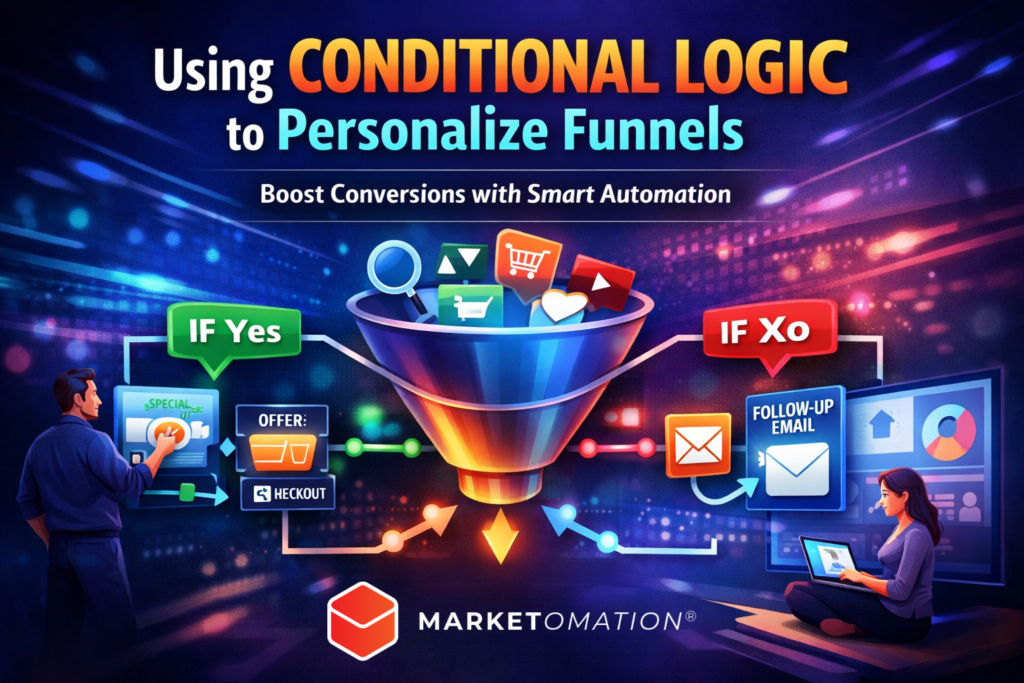
In today’s digital landscape, generic funnels are conversion killers.
If every lead sees the same emails, offers, and pages—regardless of their behavior—you’re leaving serious revenue on the table.
That’s where conditional logic changes the game.
By dynamically adapting your funnel based on user actions, preferences, and data, you create a personalized experience that feels intuitive, relevant, and highly engaging.
Let’s break down how conditional logic works—and how to use it to build smarter, higher-converting funnels.
What Is Conditional Logic in Funnels?
Conditional logic is the process of triggering different actions based on specific conditions or behaviors.
Instead of a one-size-fits-all journey, your funnel becomes a decision tree that adapts in real time.
Example:
- If a user clicks a pricing link → send sales-focused emails
- If a user watches a webinar → offer a high-ticket upsell
- If a user abandons checkout → trigger a recovery sequence
It’s automation—but with intelligence.
Why Conditional Logic Matters for Conversion
Modern buyers expect personalization. If your funnel doesn’t deliver it, they disengage.
Key benefits:
1. Increased Relevance
Users only see content that matches their interests and stage in the buying journey.
2. Higher Conversion Rates
Tailored messaging consistently outperforms generic campaigns.
3. Better Lead Qualification
You can segment users automatically based on behavior, not guesses.
4. Improved Customer Experience
Your funnel feels less like marketing—and more like a guided journey.
Core Types of Conditional Logic in Funnels
To build an effective system, you need to understand the main categories of logic triggers.
1. Behavior-Based Logic
Triggered by user actions:
- Page visits
- Link clicks
- Video watch time
- Purchase history
Use case:
Send different follow-ups depending on which product page a user viewed.
2. Time-Based Logic
Triggered by timing or delays:
- Time since last interaction
- Deadlines
- Expiration windows
Use case:
If a lead hasn’t engaged in 3 days → send a reactivation email.
3. Data-Based Logic
Triggered by known attributes:
- Location
- Industry
- Business size
- Tags or CRM fields
Use case:
Show different offers to beginners vs. advanced users.
4. Engagement-Based Logic
Triggered by interaction level:
- Email opens
- Click-through rates
- Funnel progression
Use case:
Move highly engaged leads into a fast-track sales sequence.
How to Implement Conditional Logic in Your Funnel
Here’s a practical framework you can apply immediately:
Step 1: Map Your Ideal Customer Journeys
Identify different paths users might take:
- Cold lead → nurture → low-ticket offer
- Warm lead → webinar → high-ticket offer
- Returning customer → upsell → loyalty program
Each path becomes a logic branch.
Step 2: Define Trigger Points
Decide what actions will change the user’s experience:
- Clicks
- Purchases
- Time delays
- Tag assignments
These are your “if this happens…” conditions.
Step 3: Build Decision Trees
Structure your funnel like this:
- IF user does X → THEN send Y
- IF user does NOT do X → THEN send Z
This creates adaptive flows instead of linear sequences.
Step 4: Use Smart Tagging & Segmentation
Your automation platform should:
- Tag users based on behavior
- Update segments dynamically
- Trigger workflows based on those tags
This is the backbone of personalization.
Step 5: Test and Optimize Continuously
Conditional logic isn’t “set it and forget it.”
Track:
- Conversion rates per branch
- Drop-off points
- Engagement differences
Then refine your logic paths for better performance.
Real-World Funnel Example
Let’s say you run a coaching business:
Entry Point:
User downloads a free guide
Conditional Flow:
- IF user opens emails → invite to webinar
- IF user attends webinar → pitch high-ticket program
- IF user doesn’t attend → send replay + reminder
- IF user clicks sales page but doesn’t buy → trigger urgency sequence
- IF user buys → move to onboarding + upsell
This creates a highly personalized buying experience without manual intervention.
Common Mistakes to Avoid
Even powerful automation can backfire if implemented poorly.
Overcomplicating the Logic
Start simple. Too many branches can break your funnel.
Ignoring Data Quality
Conditional logic is only as good as your data. Bad tagging = bad automation.
Lack of Testing
Assumptions don’t convert—data does.
No Clear Goal Per Path
Every branch should have a defined outcome (sale, booking, engagement, etc.).
Tools That Support Conditional Logic
Most modern marketing automation platforms support conditional workflows, including:
- CRM systems with automation triggers
- Email marketing platforms with segmentation
- Funnel builders with behavior tracking
- All-in-one solutions like MarketOmation
The key is choosing a system that allows flexible logic rules and real-time data updates.
Final Thoughts: Smarter Funnels Win
The future of marketing isn’t more content—it’s more relevant content.
Conditional logic allows you to:
- Speak directly to each lead’s needs
- Reduce friction in the buying journey
- Maximize every interaction
If your funnel isn’t adapting, it’s underperforming.
Ready to Build Intelligent Funnels?
At MarketOmation, we help businesses implement advanced automation strategies—without the complexity.
From conditional logic workflows to fully optimized funnels, we turn your marketing into a revenue engine.
👉 Visit https://marketomation.com/ to learn how to automate smarter and grow faster.