

How to Create an Automated Sales Pipeline (Step-by-Step Guide for Scalable Growth)
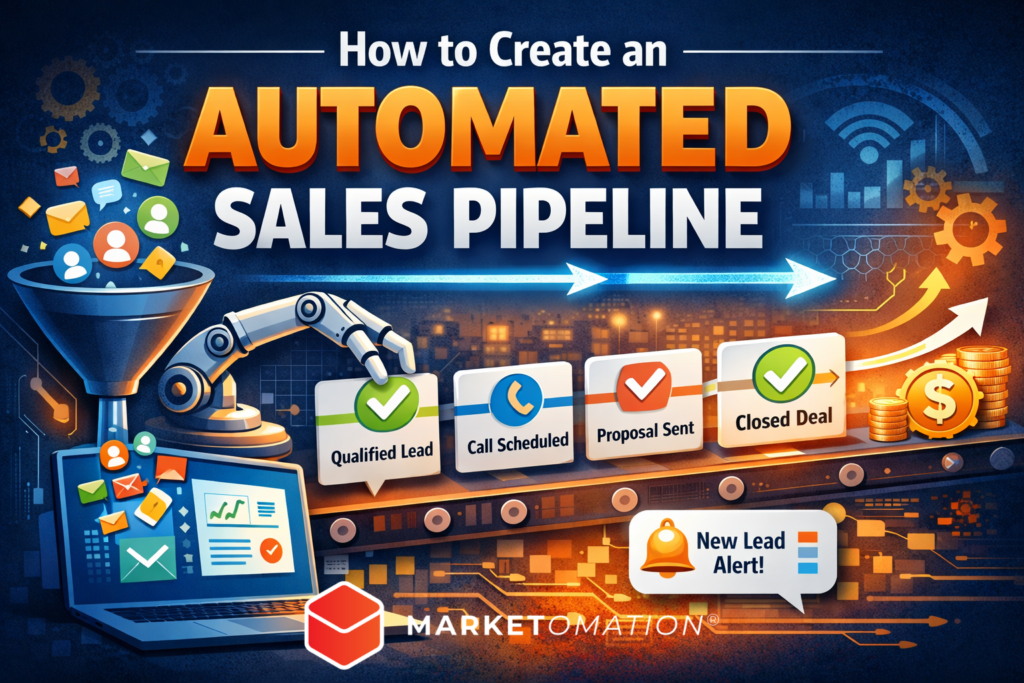
If your sales process depends on manual follow-ups, scattered spreadsheets, and memory-based task management, you don’t have a sales system — you have a liability.
An automated sales pipeline turns inconsistent revenue into predictable growth. It ensures every lead is captured, nurtured, qualified, and converted without manual bottlenecks slowing you down.
In this guide, you’ll learn exactly how to create an automated sales pipeline that scales — and how to implement it strategically inside a marketing automation platform like MarketOmation.
What Is an Automated Sales Pipeline?
An automated sales pipeline is a structured, technology-driven system that moves leads through defined stages of your buying process using triggers, workflows, and behavioral data.
Instead of manually tracking prospects, automation:
- Captures and organizes leads instantly
- Scores and qualifies them automatically
- Sends targeted follow-ups based on behavior
- Notifies sales teams at the right time
- Tracks performance in real time
The result: faster conversions, improved close rates, and predictable revenue growth.
Why Automation Is Critical for Modern Sales
Manual pipelines create friction:
- Leads fall through the cracks
- Follow-ups happen too late
- Sales teams waste time on unqualified prospects
- Marketing and sales operate in silos
Automation solves these issues by enforcing process discipline and leveraging real-time engagement data.
Businesses that automate their sales process typically experience:
- Shorter sales cycles
- Higher conversion rates
- Better lead prioritization
- More accurate forecasting
Step 1: Define Your Sales Pipeline Stages
Before building automation, you must define your pipeline architecture.
A standard automated pipeline includes:
- Lead Captured – Contact information entered system
- Engaged – Lead interacts with content
- Qualified (MQL/SQL) – Meets scoring threshold
- Appointment/Call Booked
- Proposal Sent
- Negotiation
- Closed Won / Closed Lost
Your stages should reflect your actual buyer journey — not a generic template.
Pro Tip: Avoid overcomplicating stages. If you can’t clearly define the transition trigger, the stage shouldn’t exist.
Step 2: Set Up Lead Capture Automation
Your automated pipeline begins at the point of entry.
Lead sources may include:
- Opt-in forms
- Funnel landing pages
- Webinar registrations
- Chatbots
- Paid ad lead forms
- Referral submissions
Each entry point should:
- Automatically create a contact record
- Assign a tag or source label
- Trigger a confirmation email or SMS
- Add the lead to the correct workflow
Inside MarketOmation, this is done through trigger-based workflows that fire immediately upon form submission.
Step 3: Implement Lead Scoring
Not all leads are equal.
Lead scoring assigns point values based on behavior and profile fit, such as:
- Email opens (+2)
- Link clicks (+5)
- Webinar attendance (+10)
- Pricing page visits (+15)
- Booking a call (+25)
You can also subtract points for inactivity.
When a lead crosses a defined threshold (e.g., 50 points), automation can:
- Move them to a new pipeline stage
- Notify a sales rep
- Assign a task
- Trigger a high-intent follow-up sequence
This prevents sales teams from chasing cold leads.
Step 4: Build Multi-Step Follow-Up Workflows
This is where automation creates leverage.
Every pipeline stage should have a corresponding workflow.
Example: New Lead Nurture Sequence
Day 0: Welcome email
Day 2: Educational value email
Day 4: Case study
Day 6: Objection handling content
Day 8: Call-to-action email
Behavior-based branching increases effectiveness:
- If they click → accelerate sales outreach
- If they ignore → continue nurturing
- If they book → remove from nurture sequence
Automation must adapt to behavior, not operate linearly.
Step 5: Automate Sales Notifications & Tasks
Automation should empower sales — not replace it.
When a lead becomes qualified:
- Assign to specific rep
- Create a call task
- Send Slack/email notification
- Move deal into “Qualified” stage
This ensures rapid response time — a major factor in conversion rate optimization.
Step 6: Integrate CRM & Deal Tracking
Your automated pipeline must connect to a deal board or CRM system.
Each contact should be linked to:
- Deal value
- Expected close date
- Stage progression
- Activity timeline
This provides:
- Accurate forecasting
- Sales velocity metrics
- Stage conversion analysis
- Bottleneck identification
Without CRM integration, you’re automating activity — not revenue.
Step 7: Implement Re-Engagement Automation
Most pipelines leak revenue from inactive leads.
Build automation that:
- Detects inactivity (e.g., 30 days no engagement)
- Sends reactivation emails
- Offers incentives
- Downgrades score if no response
Automated re-engagement keeps your database clean and revenue opportunities active.
Step 8: Track and Optimize Performance Metrics
Automation is not “set and forget.”
Track key KPIs:
- Lead-to-MQL conversion rate
- MQL-to-SQL conversion rate
- Stage-to-stage drop-off
- Sales cycle length
- Close rate
- Customer acquisition cost
Use these metrics to identify bottlenecks and optimize workflows.
Common Mistakes When Creating an Automated Sales Pipeline
Avoid these pitfalls:
Over-automation – Complex workflows that break easily
No lead scoring – Sales overwhelmed with poor-fit leads
No stage triggers – Deals stuck indefinitely
No alignment between marketing and sales
No performance tracking
Automation without strategy amplifies inefficiency.
Example: Simple Automated Sales Pipeline Framework
Here’s a scalable structure:
- Capture → Tag → Welcome Email
- Behavior-Based Nurture Sequence
- Lead Scoring Threshold → Move to Qualified
- Notify Sales + Assign Task
- If Call Booked → Move to Appointment Stage
- Post-Call Automation → Proposal Workflow
- If Closed Won → Onboarding Automation
- If Closed Lost → Long-Term Nurture
This architecture creates full lifecycle automation — from first click to client onboarding.
Final Thoughts: Automation Creates Predictability
An automated sales pipeline does three critical things:
- Eliminates manual bottlenecks
- Increases conversion velocity
- Makes revenue forecasting reliable
If your growth depends on constant manual oversight, you don’t have scalability.
When built correctly inside a marketing automation platform like MarketOmation, your pipeline becomes a self-reinforcing revenue engine — working 24/7 to capture, qualify, and convert.